Choosing Your Role
An operating session has four kinds of jobs. None of them require knowing anything about the control system's internals — each terminal is built around the paper form or rulebook procedure it replaces.
Dispatcher
Controls the main line for the whole session: tracks every train's progress as OS (on-sheet) reports come in, issues train orders for meets and waits, manages clearances, and raises or lowers the physical signal arms at five stations. The Dispatcher's monitor runs full-screen in the dispatcher's room.
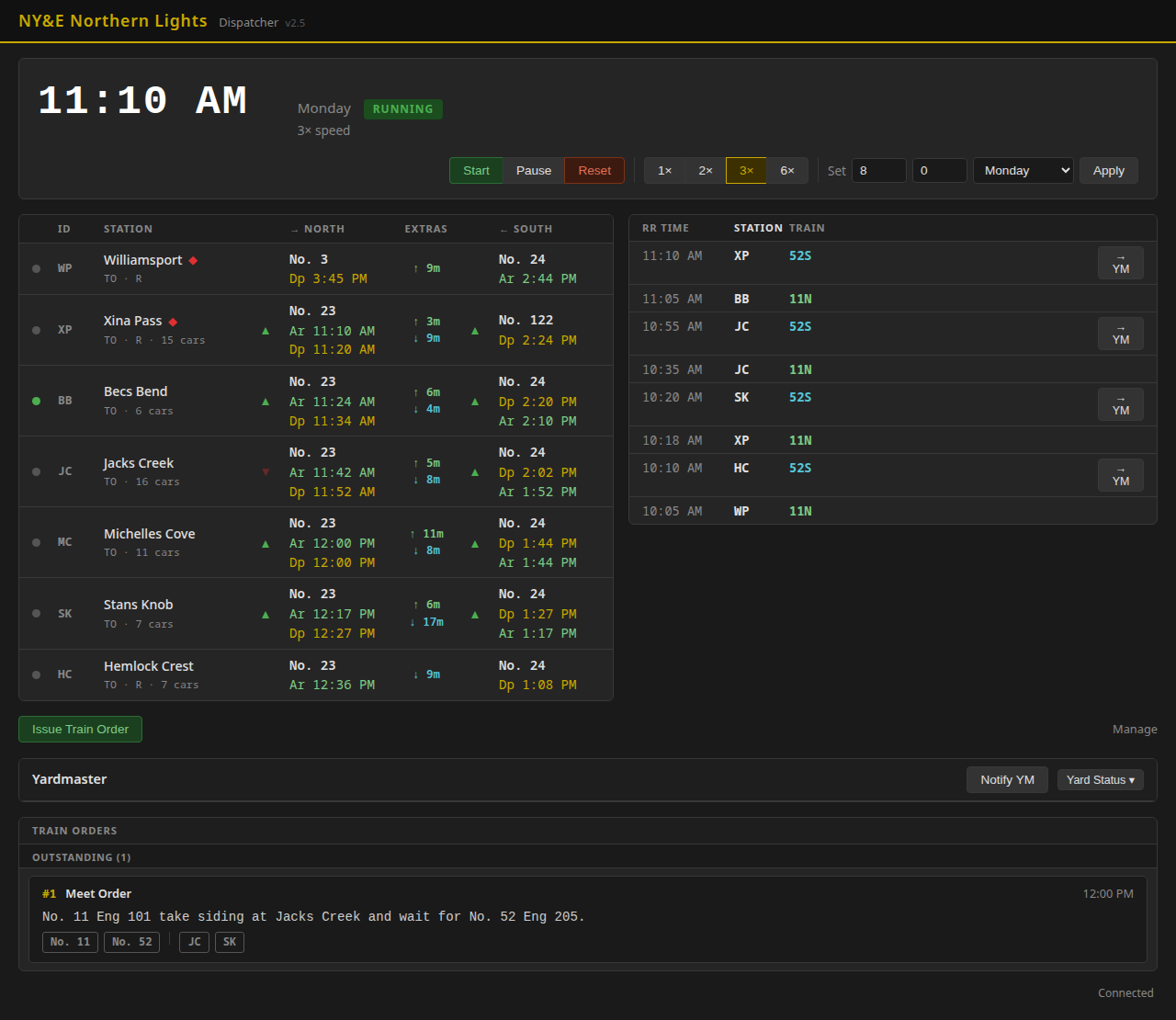
The OS log (right) and the outstanding train order (bottom) are both from a real demo session run on the dispatcher app — see A Session Walkthrough for the full story behind this screenshot.
Yardmaster
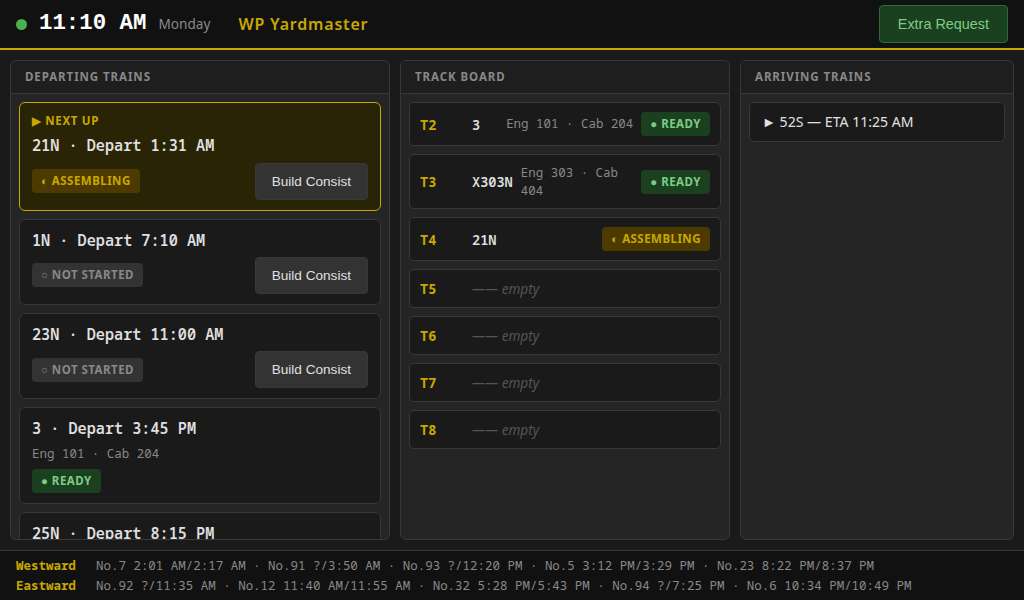
Has exclusive authority over the yard at Williamsport: building departing consists, breaking down arrivals, assigning yard tracks, and handling the C&O interchange. The dispatcher has no say in yard track assignment — arrival notices from the dispatcher inform the YM to make an arrival track ready and set the switch route.
Trainmaster
A pre-session planning role: reviews waybills and customer requests, generates train manifests and switching work orders, and requests extra trains when demand exceeds what's scheduled. Currently a paper/printout role exercised before the session starts; a live terminal presence is a possible future phase.
Crew (Engineer / Conductor)
Runs a train. The engineer drives the locomotive from a phone using a standard WiThrottle app — the same DCC throttle app used on countless other model railroads — while the conductor follows train-order and timetable rules at each station, same as in 1905. There's no NY&E-specific app for the crew; the discipline lives in the rulebook, not the software.